When RAG Retrieval Fails: Debugging PDF Table Extraction and Embeddings
November 2, 2026 · RAG & knowledge · Lessons
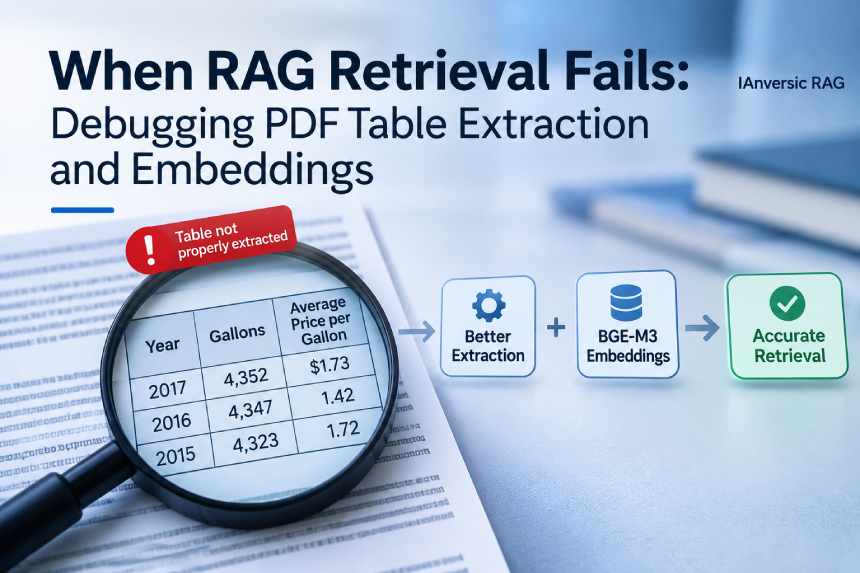
Debugging a RAG retrieval failure using ConvFinQA documents from Hugging Face Datasets. The investigation revealed that PDF text extraction was losing table structure and that stub-generated embeddings were still being indexed.
As part of a demonstration of IAnversic RAG, I started using ConvFinQA, a financial question-answering dataset available through Hugging Face Datasets, to run more realistic tests against the system.
I wanted to see how the system would handle financial documents, tables, and questions that require retrieving precise information from them. Instead of relying only on manually written examples or simplified documents, I wanted test cases that reflected the kind of content and questions a real user might bring to a RAG system.
I prepared a test dataset using Claude to generate questions and their expected answers from the original documents. Each test case included the question, the expected answer, and the source document. This gave me a way to evaluate the entire RAG workflow against actual financial content.
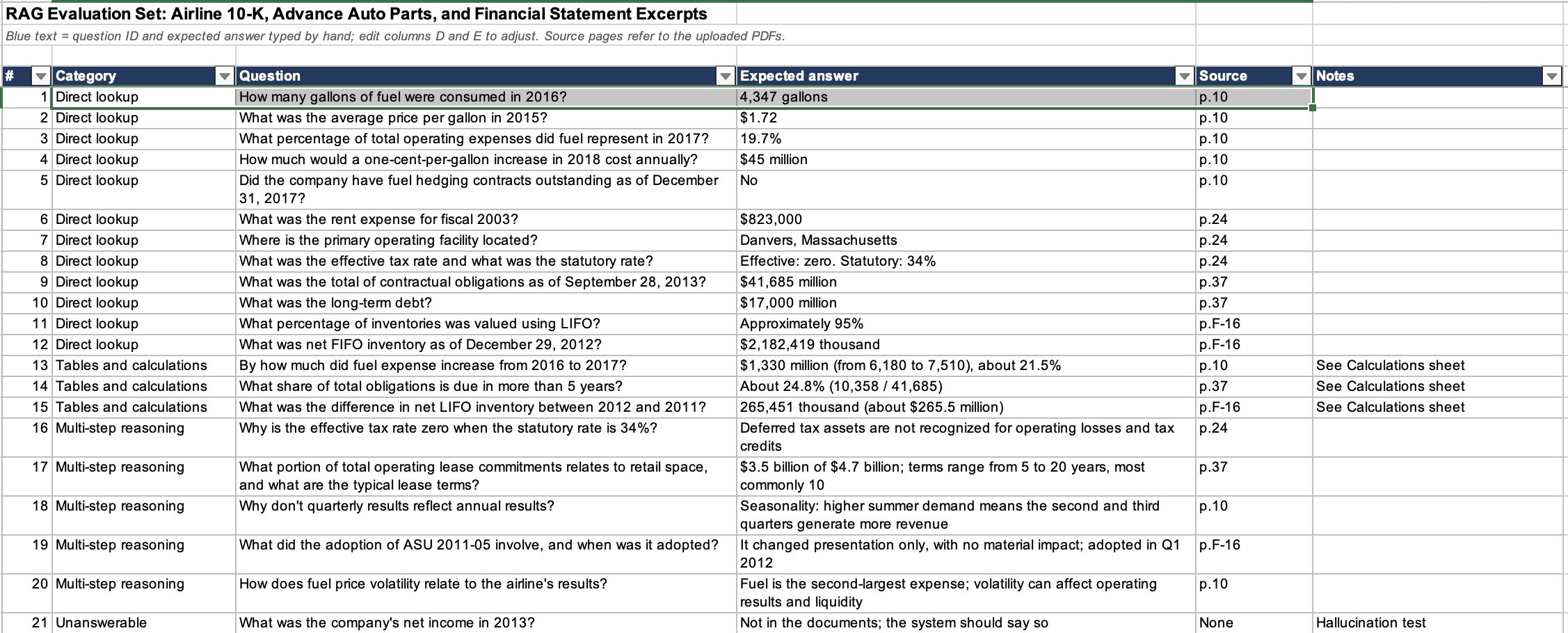
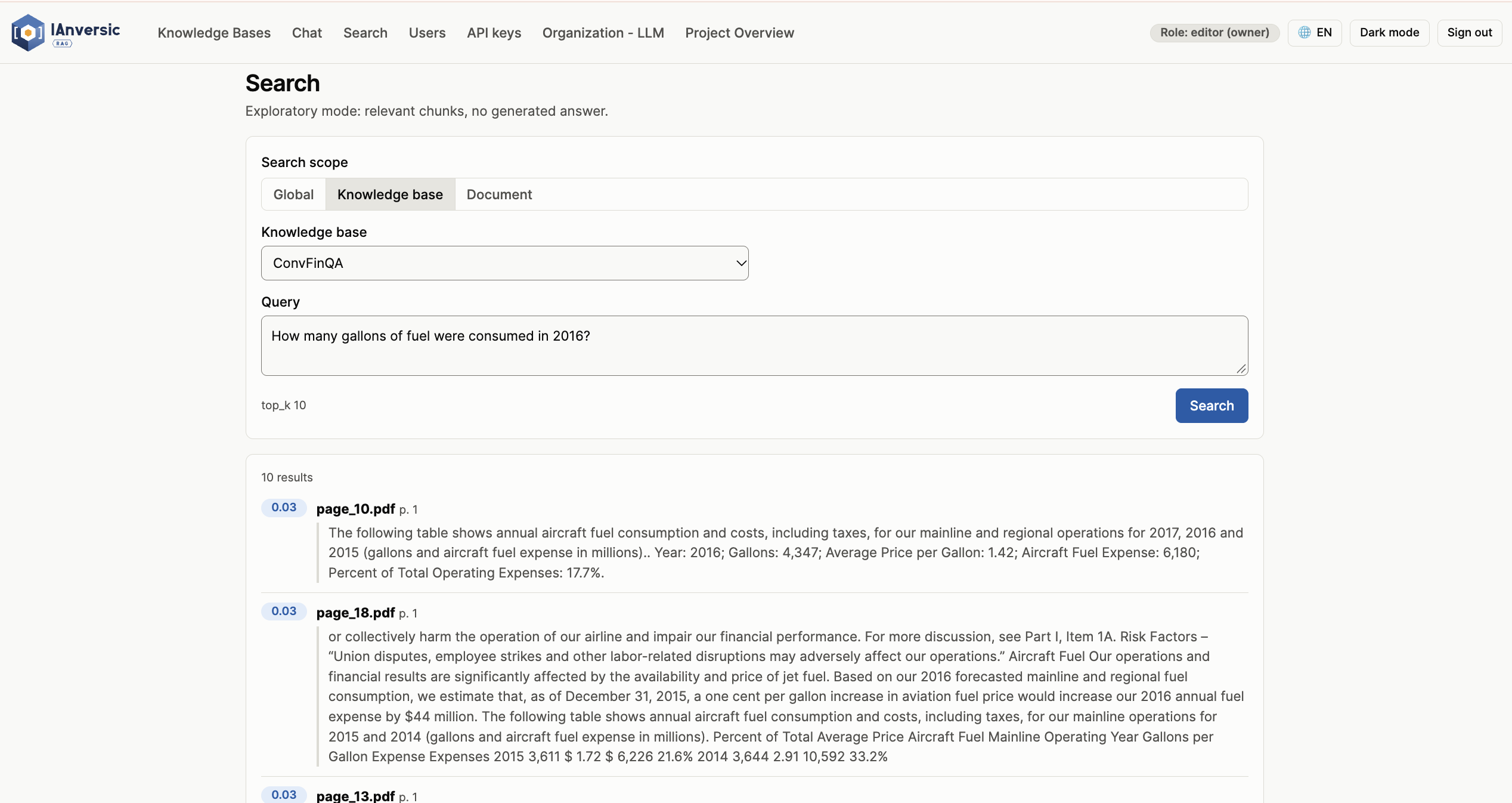
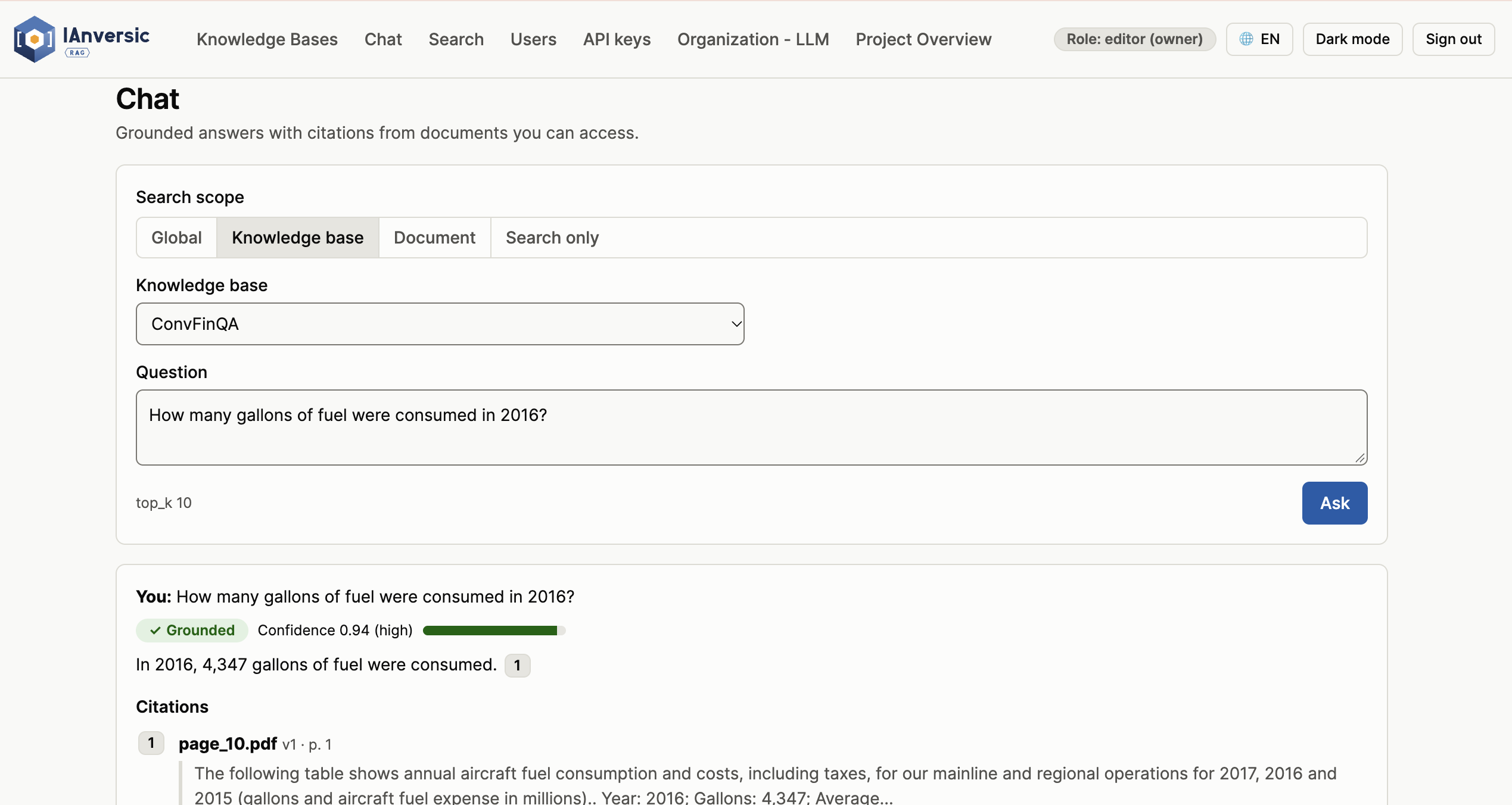
One of these tests exposed a problem I hadn't anticipated. For the question: How much fuel was consumed in 2016?, I was expecting 4,347 gallons in the answer. The document contained the information, but the system struggled to retrieve the correct evidence through vector search. Keyword search performed better, while hybrid retrieval still ranked the relevant result lower than expected.
At first, this looked like an embedding or ranking issue. But when I traced the problem back to the document ingestion process, I found that the table itself was not being extracted correctly.
The problem started before embedding
The original PDF parser used pypdf. It extracts text in the order it appears in the PDF's content stream. That works reasonably well for regular paragraphs, but it becomes problematic with borderless tables.
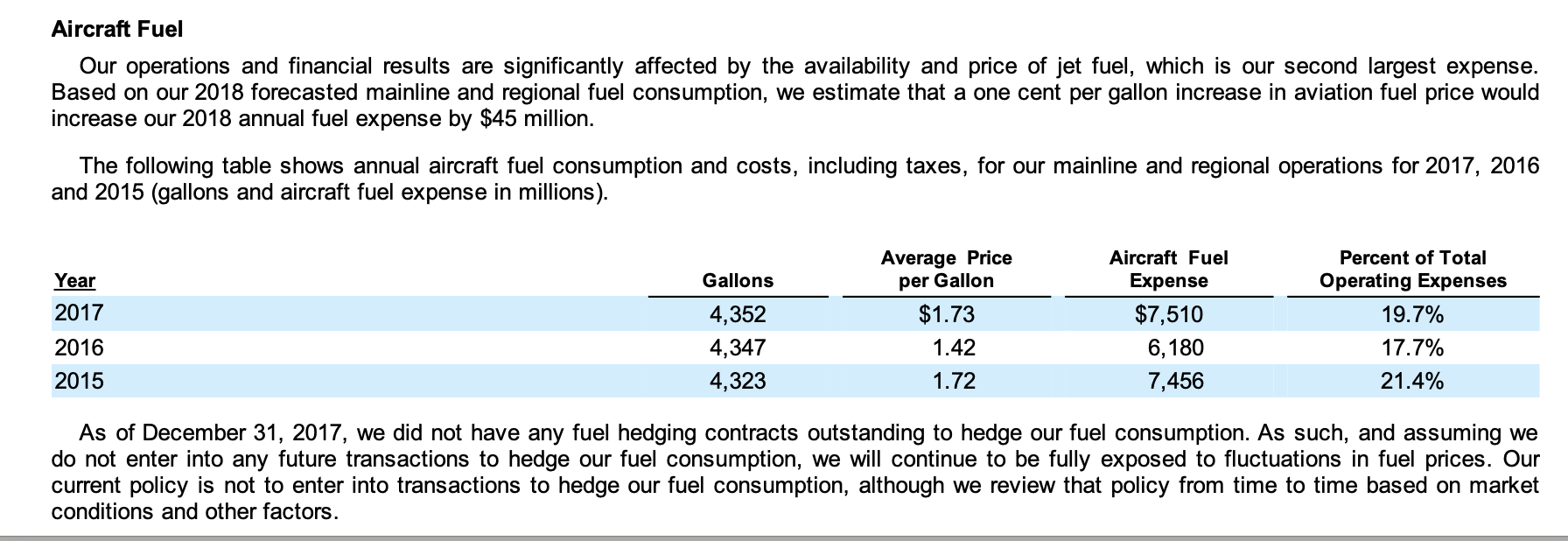
Instead of preserving rows and columns, the extracted text could look like this:
2016
4,347
1.42
6,180
17.7%
The year was separated from its values, and the column headers appeared elsewhere in the extracted text. So, the parser didn't establish the relationships that gave the information meaning.
Without reliable word-level positions, there was no straightforward way to determine which value belonged to which column. Once that structure was lost, the resulting text was not a good representation of the original table.
This also affected what happened next: the content was chunked and embedded without the relationships needed to retrieve and interpret the values correctly.
Switching to pdfplumber wasn't enough
I moved from pypdf to pdfplumber because it exposes word-level coordinates, including x0 and top. These coordinates make it possible to reconstruct the layout of a PDF rather than relying exclusively on its text extraction order.
My first attempt was to use pdfplumber's find_tables method with the text strategy.
I expected it to identify aligned text as table cells. Instead, the result was worse: it detected a single 12-column table containing entire document paragraphs, with cells split in the middle of words.
The strategy was too permissive for this document. Paragraphs with similar text alignment were being interpreted as table structures.
That was a useful finding: having a tool that can detect tables does not mean its automatic table detection will work for every PDF layout.
I needed a more controlled approach.
Reconstructing tables from word coordinates
Instead of trying to detect tables generically, I decided to use the coordinates provided by pdfplumber to identify the relevant rows and reconstruct their columns.
The approach follows four steps:
- Group words into lines using their vertical positions.
- Identify data rows by looking for lines that start with a year and contain numeric values.
- Determine column positions based on the horizontal positions of those values.
- Recover headers from the lines immediately above the data rows, considering only words whose positions fall within the identified columns.
This approach uses the document's actual layout to reconstruct the table instead of relying on a generic table-detection strategy.
For the fuel consumption example, the extracted result now preserves the relationship between headers and values:
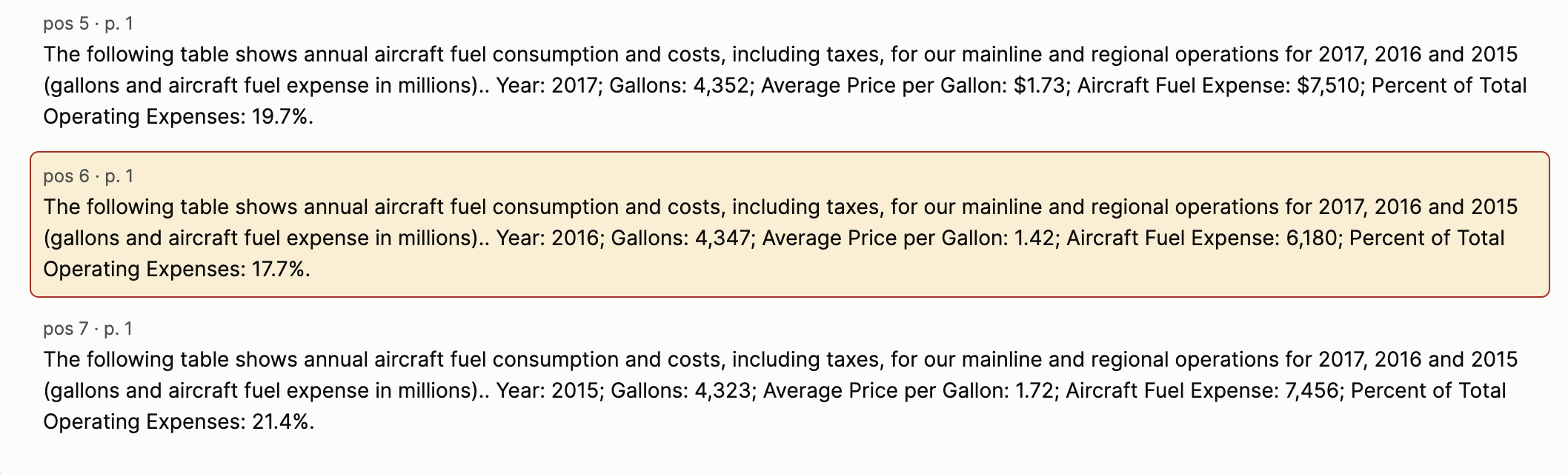
Now the 2016 value is no longer an isolated number. It belongs to a specific year, column, and table context.
The important change wasn't simply switching libraries. It was using the position of each word instead of trusting the order in which text appeared in the PDF.
Embeddings can only represent the content they receive. If a table has already lost its structure during extraction, generating an embedding from that text won't restore the missing relationships.
A chunk containing a number without its corresponding header, year, or unit is fundamentally different from a chunk that preserves the complete row context.
Re-ingestion and validation
After implementing the extraction changes, I re-ingested the documents using BGE-M3 to regenerate their embeddings.
The original ConvFinQA tests worked correctly after re-ingestion. The fuel consumption question that initially exposed the problem could now retrieve the relevant table information as expected.
The same question could also be tested through the IAnversic RAG chat interface:
Part of the ongoing development of IAnversic RAG.